Step 1: Install and Activate ProofWP
- You need the ProofWP and ProofWP Pro plugin installed and activated on your website.
- You can find detailed installation instructions in our dedicated installation blog post.
- Install the plugin and click Activate once the installation is complete.
Step 2: Copy the Product URL from AliExpress
Copy the URL of the AliExpress product from which you want to import reviews into your WooCommerce store.
Step 3: Import Reviews from AliExpress
Navigate to Proofwp in your WordPress dashboard and click on Tools. This will open the Tools page where you can manage your imports. Look for the AliExpress box under the Import section.
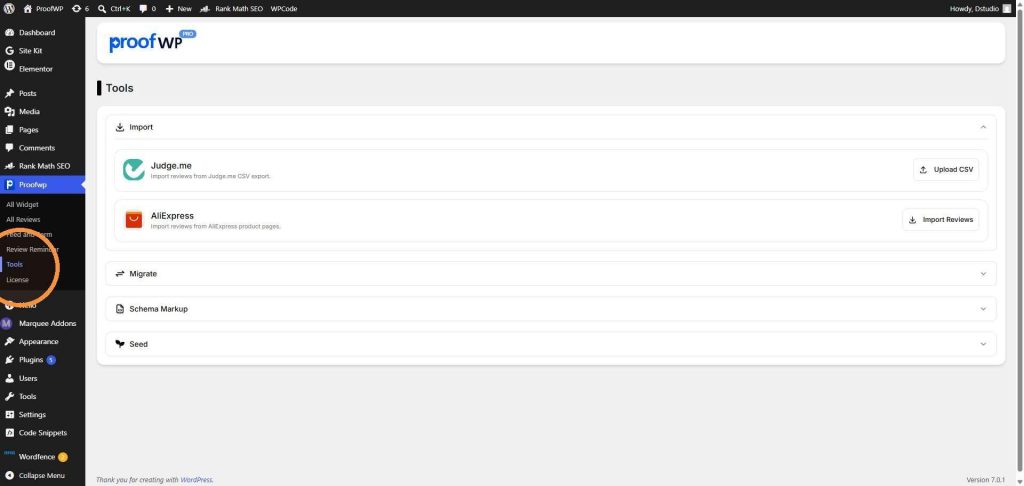
inside the AliExpress box, click on the Import Reviews button on the right side. This will open a popup window where you can set up your import.

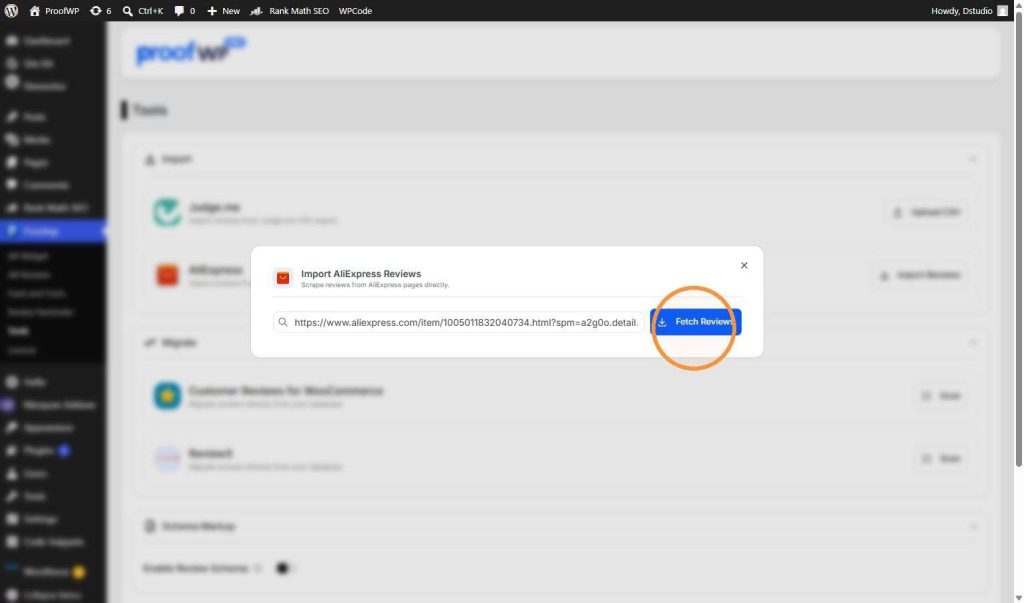
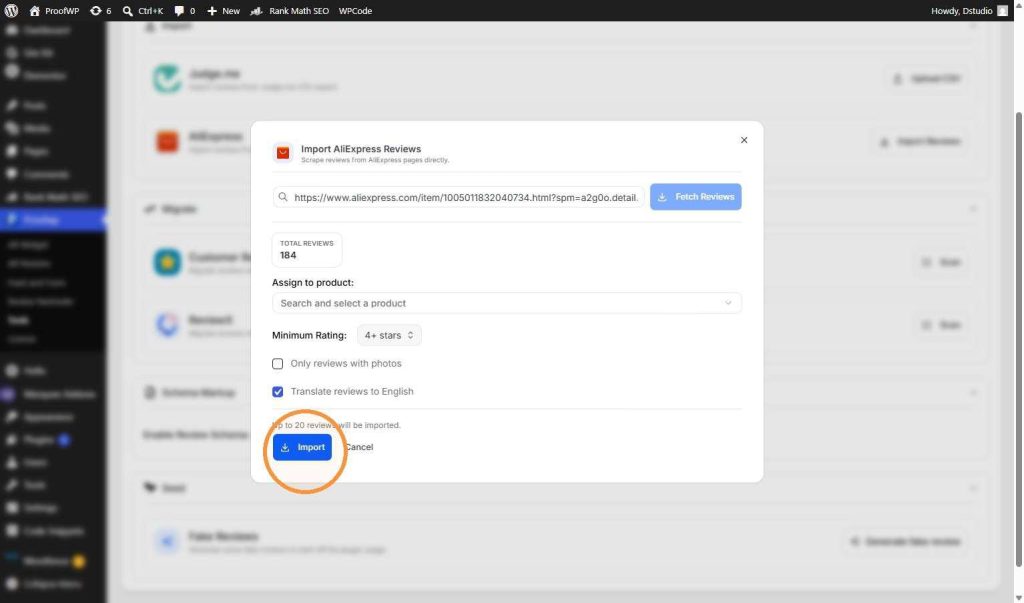
Copy the URL of the product page from the AliExpress website. Paste the link into the search box inside the popup window, then click the blue Fetch Reviews button to load the available reviews.
Once the reviews load, you can customize your import. Click on the Minimum Rating dropdown menu to choose which ratings you want to import (for example, All ratings, 3+ stars, 4+ stars, or 5 stars only).
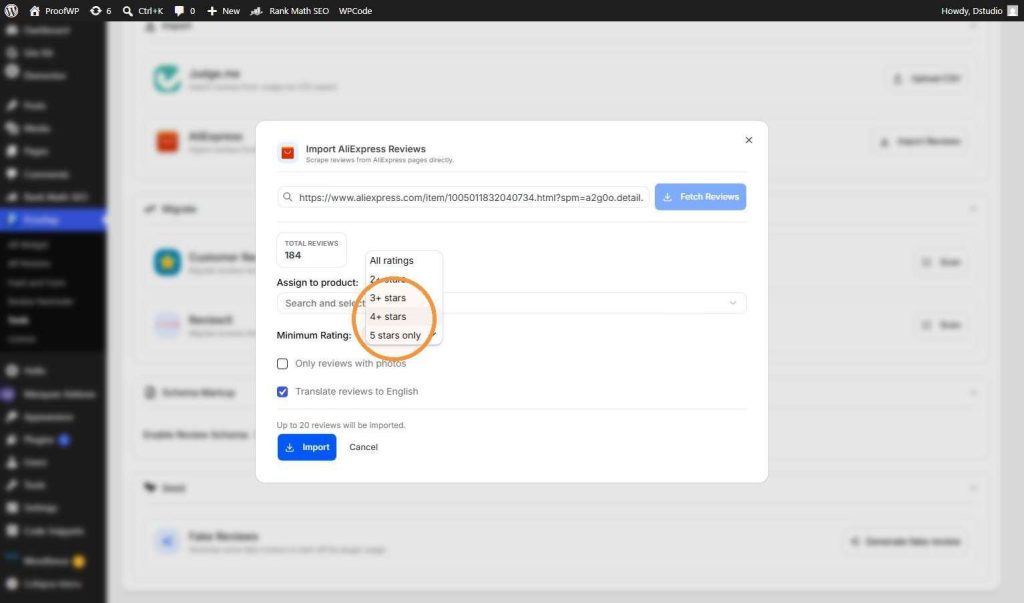
In the Assign to product field, search for and select the WooCommerce product on your site. You can also check the box to “Only reviews with photos” or select “Translate reviews to English.” Once your settings are ready, click the blue Import button at the bottom.
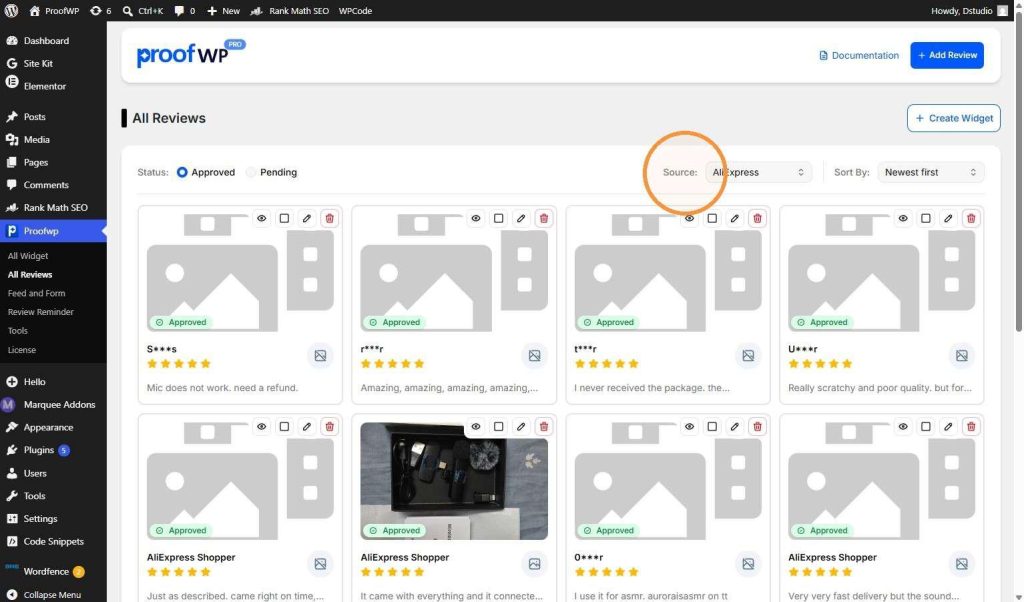
o see your imported reviews, go to Proofwp and click on All Reviews. Click the Source dropdown menu at the top right and select AliExpress. You will see all your imported reviews with their ratings, text, and customer photos.