Step 1: Install and Activate ProofWP
- You need the ProofWP and ProofWP Pro plugin installed and activated on your website.
- You can find detailed installation instructions in our dedicated installation blog post.
- Install the plugin and click Activate once the installation is complete.
Step 2: Export Judge.me Reviews
To export all of your reviews:
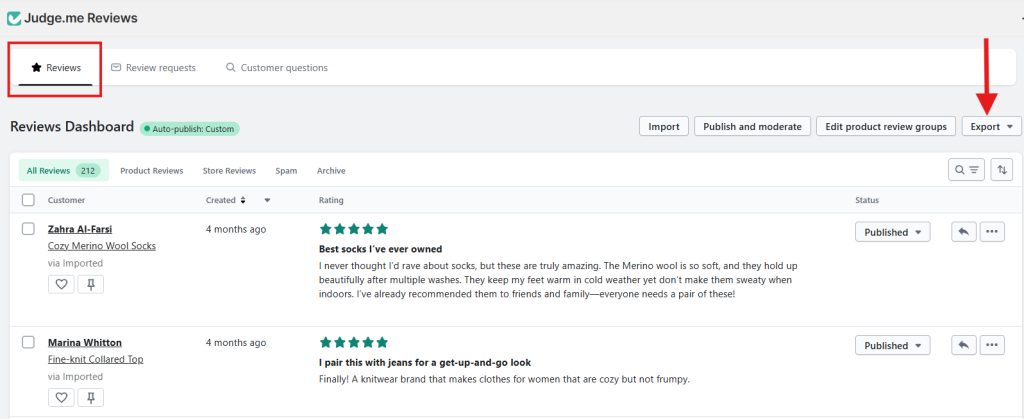
- From your Judge.me admin, go to Reviews.
- Open the Export dropdown on the top-right corner.
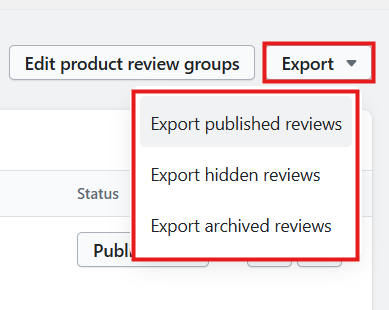
Select one of the following options:
- Export published reviews
- Export hidden reviews
- Export archived reviews
Step 3: Import Judge.me Reviews into Your WooCommerce Store
Go to your WordPress menu, click on Proofwp, and then click on Tools. This opens the Tools dashboard
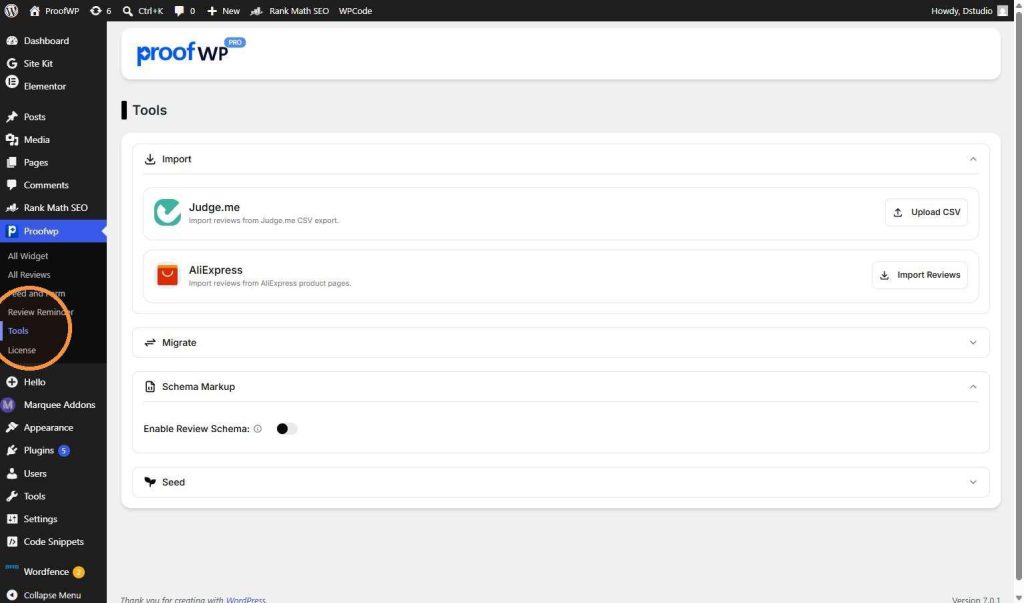
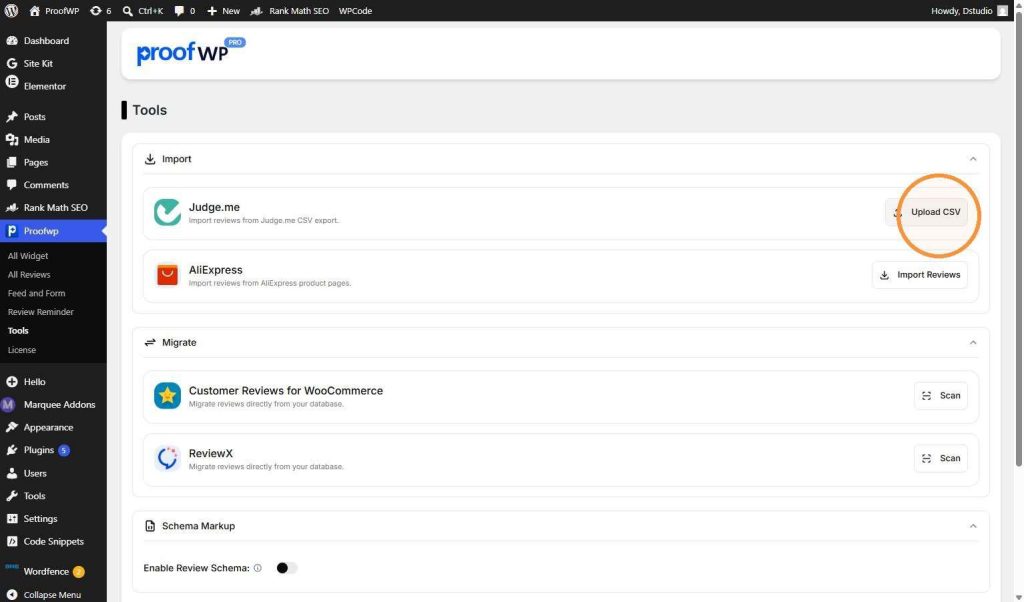
Under the Import section, find the Judge.me box. Click on the Upload CSV button on the right. A window will open on your computer. Choose the Judge.me CSV export file that you want to upload to your site.
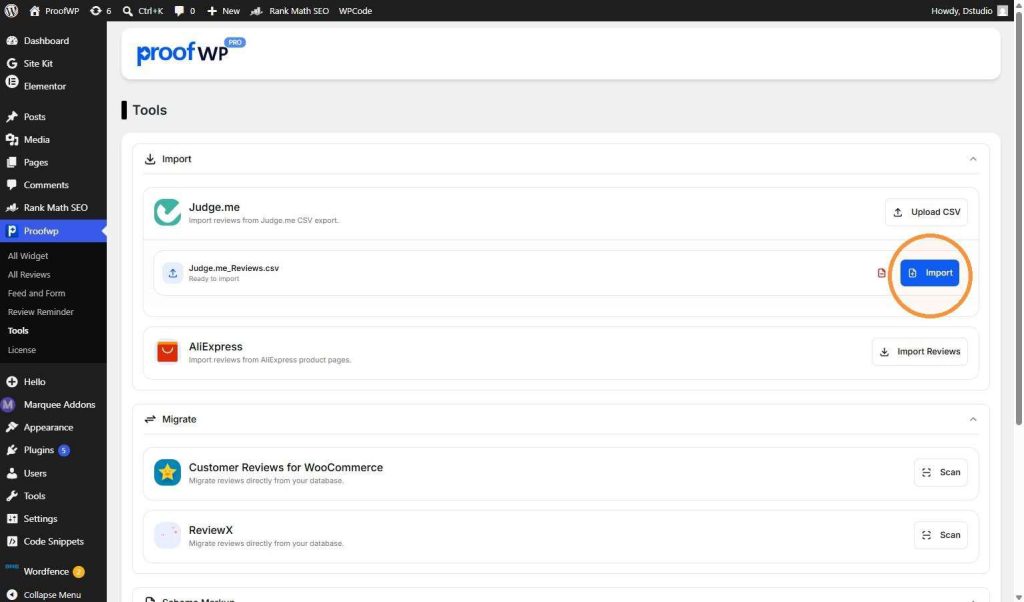
After you select your file, you will see its name (for example, Judge.me_Reviews.csv) on the screen. Now, click the blue Import button on the right side to start bringing your reviews into the plugin.
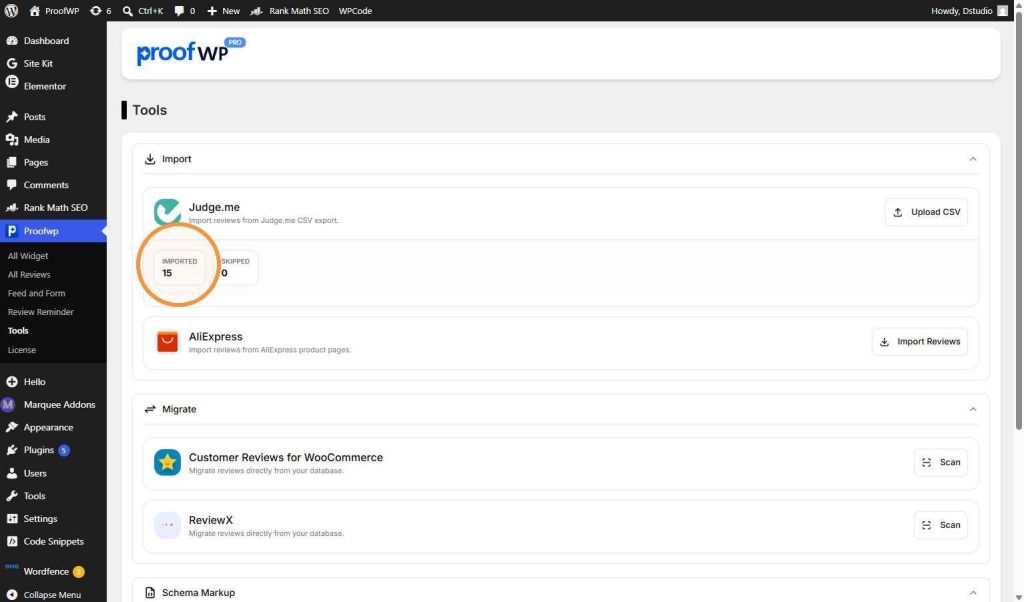
When the import is complete, ProofWP will show you the results. You will see an Imported box showing the total number of reviews added successfully (for example, 15). It will also show you if any reviews were Skipped (for example, 0).
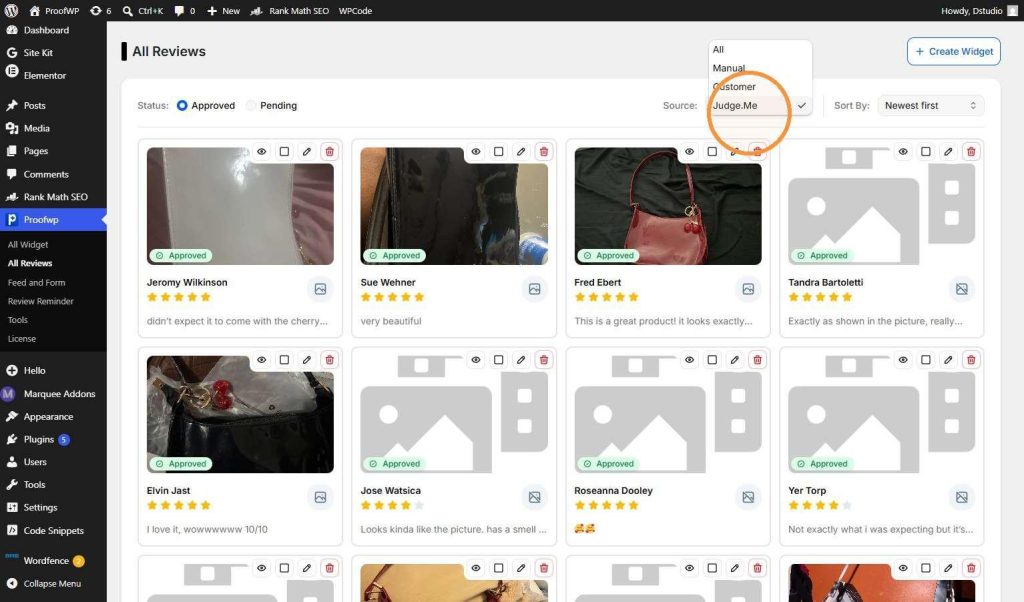
Now click on All Reviews. Here, you can see all the reviews on your website in a beautiful card layout. To find your newly imported reviews quickly, click on the Source dropdown menu at the top right and select Judge.Me.