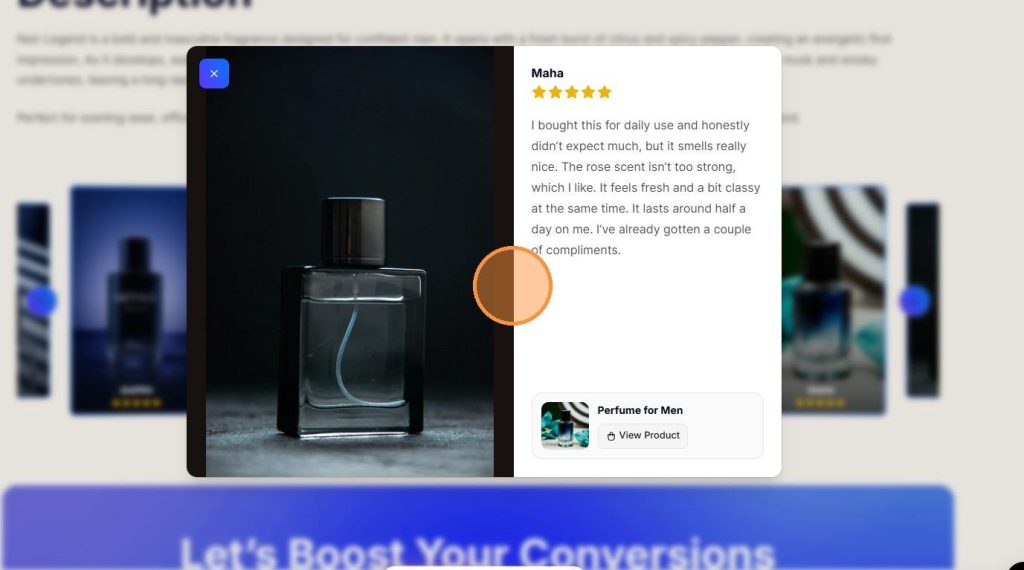
Most review widgets display customer feedback in basic grids or traditional sliders that often blend into the page design. A modern stacked review slider offers a more premium and engaging alternative by presenting customer photos, videos, ratings, and testimonials in a layered, interactive layout that instantly captures attention and enhances your store’s visual appeal.
With ProofWP, you can create a Premium Stacked Photo & Video Review Slider that transforms ordinary customer reviews into a high-impact social proof section. The stacked layout not only showcases authentic customer experiences but also adds a modern, professional look that helps your WooCommerce store stand out from competitors.
In this tutorial, you’ll learn how to add a modern stacked photo and video review slider in WooCommerce, customize its appearance, and showcase customer-generated content in a way that strengthens trust, improves engagement, and creates a more premium shopping experience.

Step 1: Install and Activate ProofWP
- You need the ProofWP and ProofWP Pro plugin installed and activated on your website.
- You can find detailed installation instructions in our dedicated installation blog post.
- Install the plugin and click Activate once the installation is complete.
Step 2: Go to the ProofWP Dashboard
After activation, open the ProofWP dashboard from your WordPress admin panel.
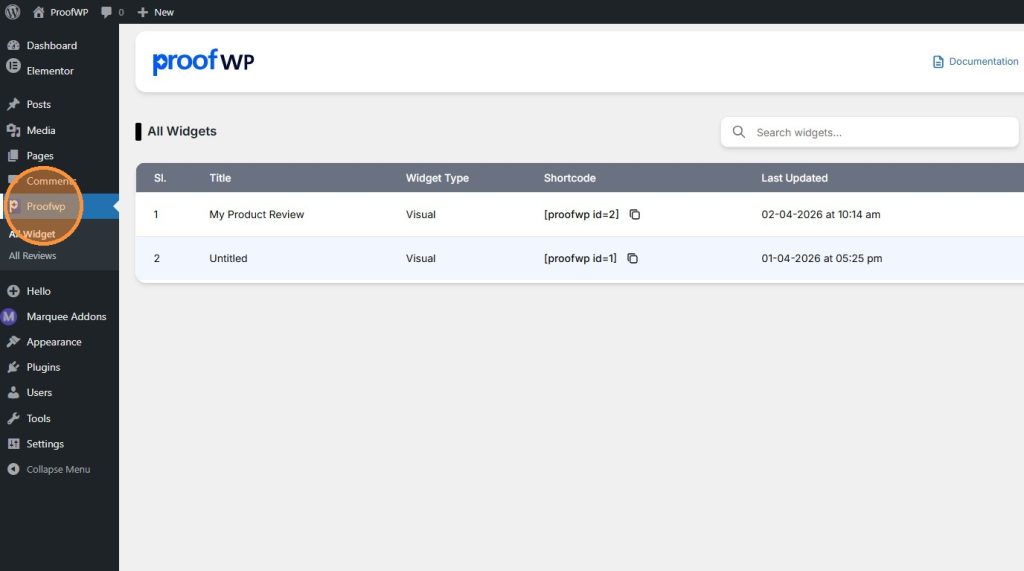
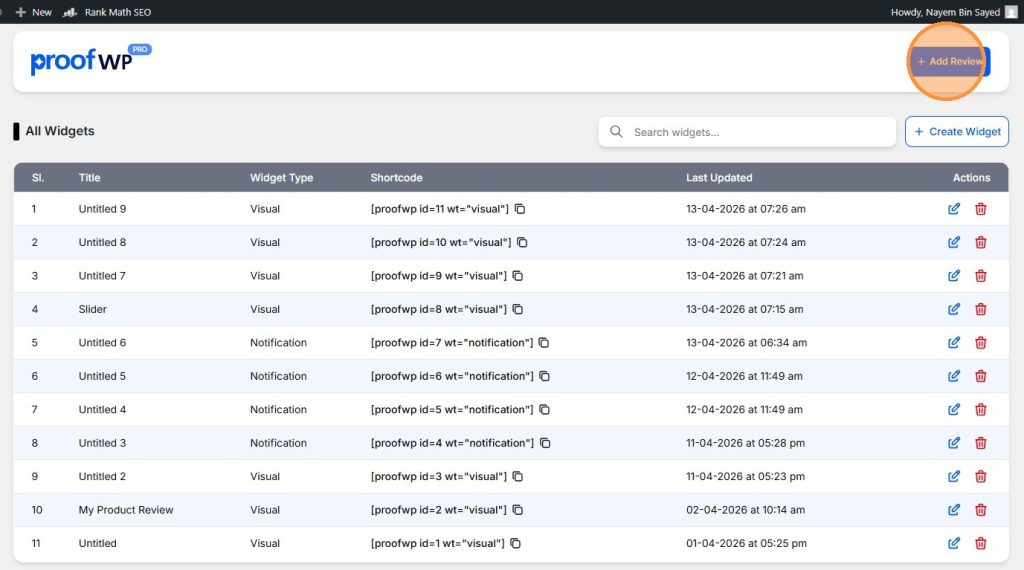
Step 3: Add a New Review
Click on the Add Review button to create a new review.
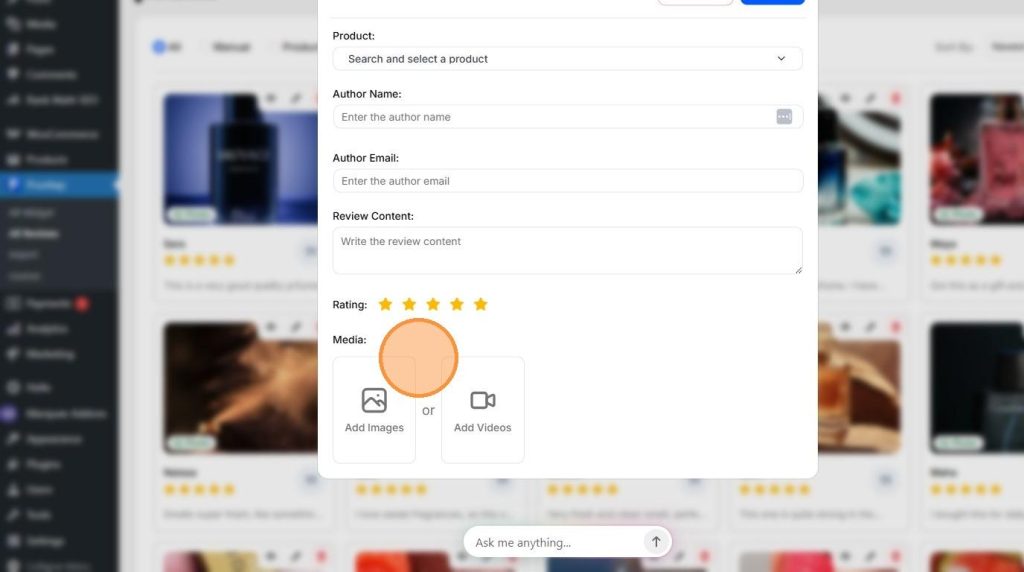
Step 4: Fill in the Review Details
Enter all the required information for your review, such as product, reviewer name, content, rating, and other details then save it.
Step 5: Create a Review Widget
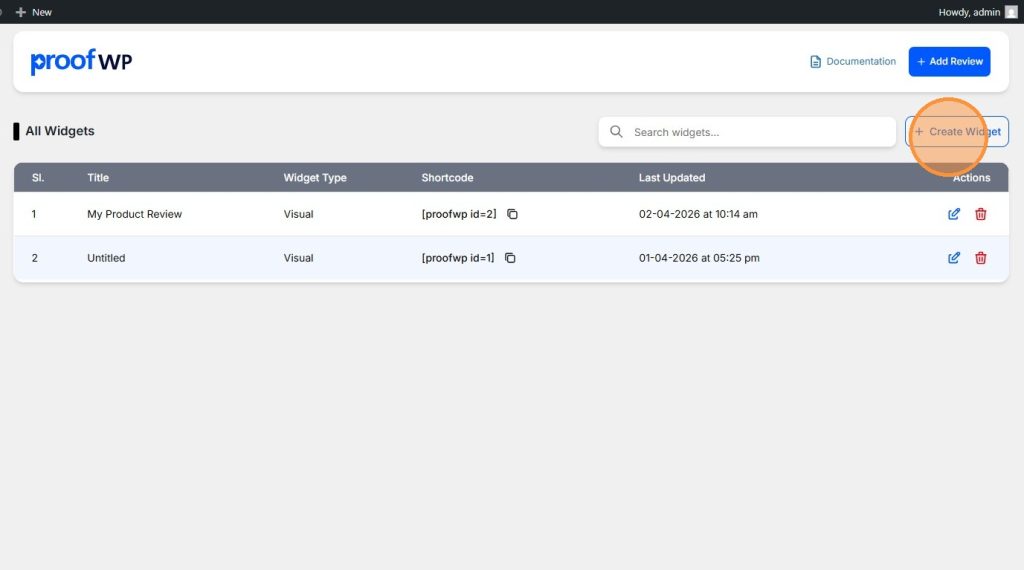
Now click on the Create Widget button to start building your review display.
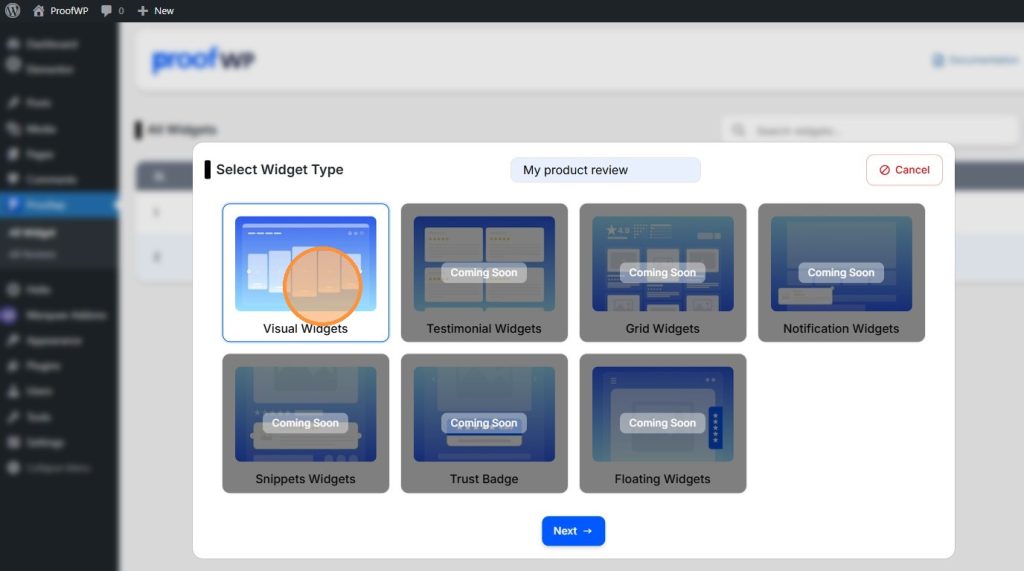
Step 6: Select Your Widget Type
Choose the widget type you want to use for displaying reviews and click next.
Step 7: Select Your Reviews
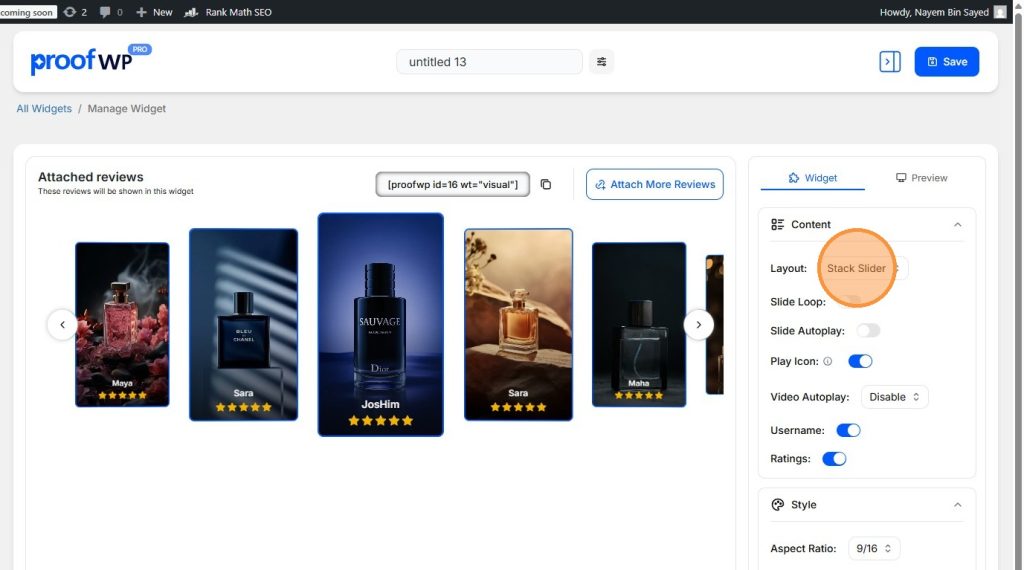
Choose the reviews you have created earlier that you want to display in the slider and save it.

Step 8: Choose Slider Layout
From the widget settings, select the layout as Stack Slider (Layout: Stack Slider) to display reviews in a sliding format.
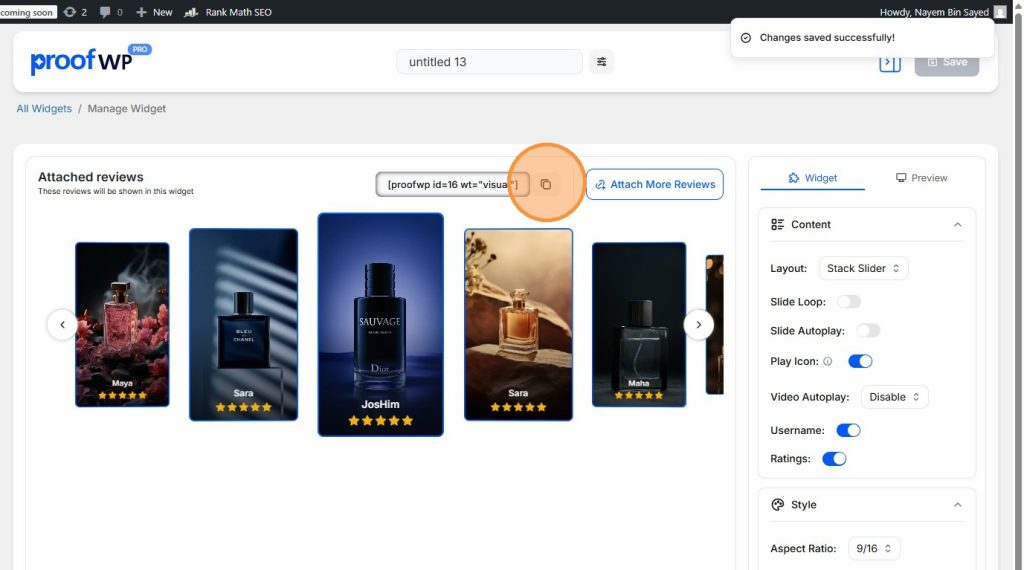
Step 9: Copy the Shortcode
Now copy the shortcode generated for your widget.
Step 10: Copy from Widget List (Optional)
You can also copy the shortcode later from the widget list in the ProofWP dashboard.
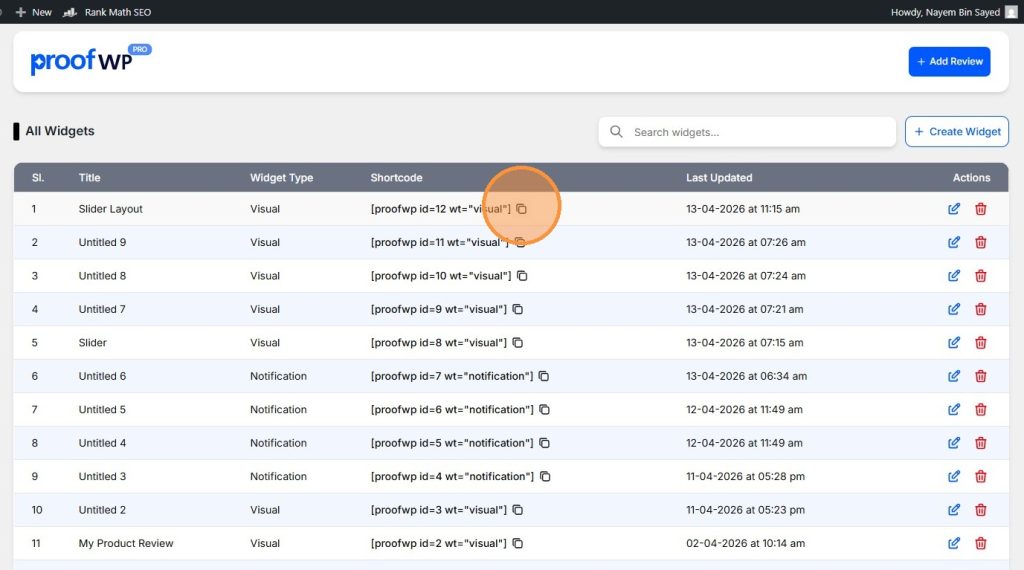
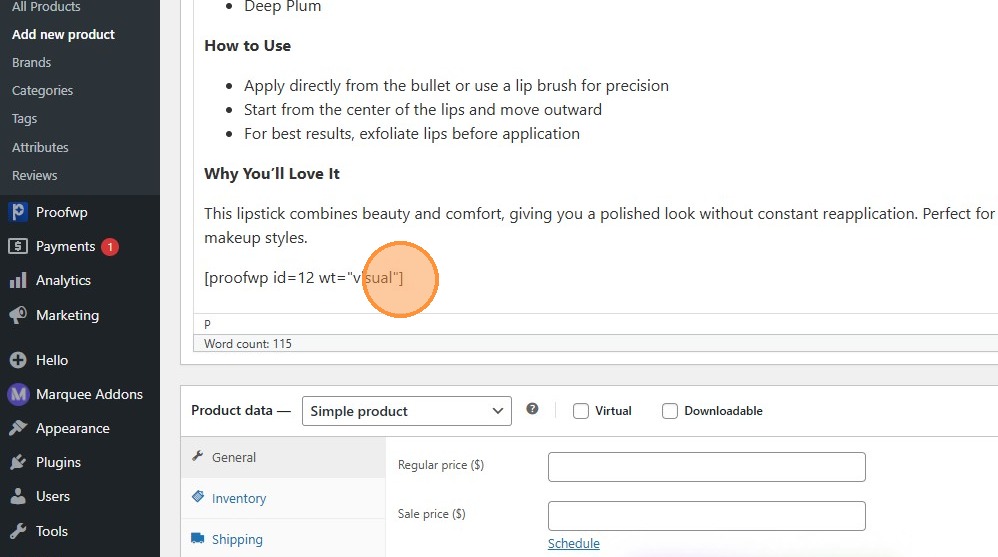
Step 11: Paste the Shortcode on Your Page
Paste the shortcode anywhere in your page design where you want the review slider to appear (like product pages or landing pages).
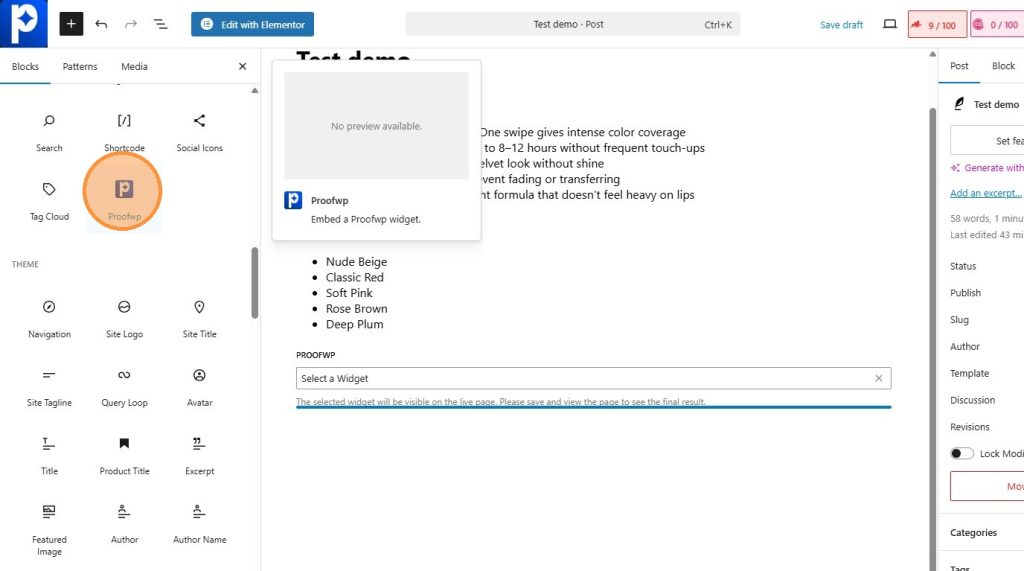
Step 12: Use ProofWP Widget (Optional)
You can also use the ProofWP widget directly if you are using Gutenberg or Elementor.
Step 13: Preview and Adjust
Preview your page and adjust the design if needed to match your website style.
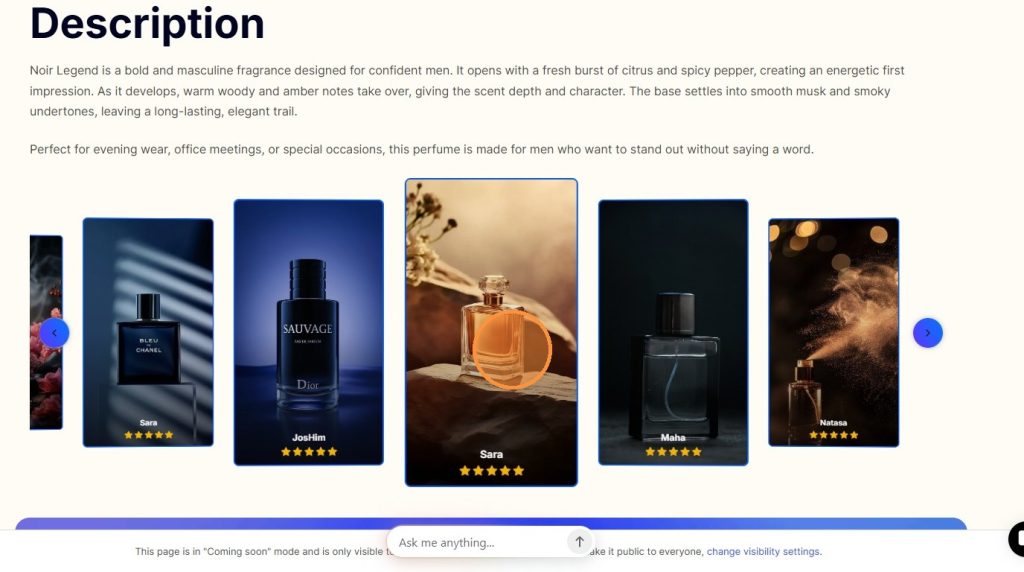
Step 14: View Review Details
When users click on a review, they can see the full review details in a preview.